


Macrium SiteDeploy
Deceptively Simple OS Imaging and Deployment Software
Trusted by global enterprises across healthcare, education, manufacturing, and finance

Imaging Trusted by Industry Leaders
Deploy with Confidence and Unlock Efficiency - The Power of SiteDeploy®
In a digitally transforming world, SiteDeploy is the imaging and deployment software your organization needs to meet its everyday IT challenges. Designed with the modern hybrid work environment in mind, SiteDeploy can bridge the gap between complexity and efficiency. With SiteDeploy, deploying remotely to a wide array of devices, from laptops and PCs to servers, becomes a streamlined task, tailored for today's dynamic organizational demands.
Macrium SiteDeploy makes OS imaging and deployment across your network simpler and more reliable. It significantly reduces complexity and automates complex tasks, like connecting from boot media and automating post-deployment first-time configuration. This helps to reduce mistakes enabling you to delegate your OS image deployment processes with confidence.
Boost The Speed and Efficiency Of Your Remote Deployments
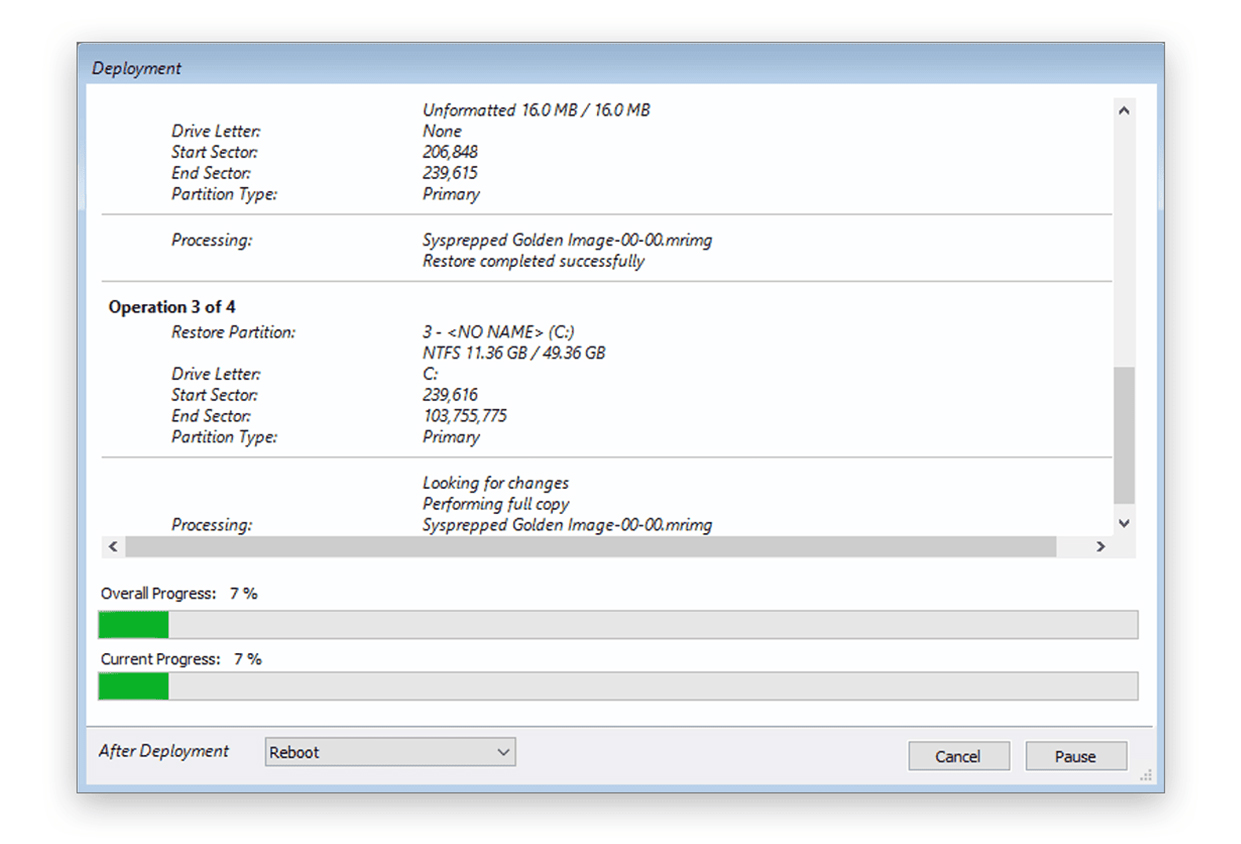
Macrium SiteDeploy speeds Windows OS imaging and deployment by enabling you to remotely manage many computers as if they were one. Its automated processes significantly reduce the time and costs associated with imaging and deployment, ensuring your operations run smoothly and quickly.
Uniform Image Deployment Across Dissimilar Hardware
Macrium SiteDeploy stands out among OS deployment tools for its ability to handle different types of computer hardware with ease. It can ensure that when you deploy software, the process is smooth and the results are the same, regardless of discrepancies/variables in your hardware setup. This makes your IT deployments more straightforward and dependable with our OS deployment tool.
Accurate Deployments With Precision Imaging
Macrium SiteDeploy’s high-precision imaging ensures each deployment is true to your original golden image. It uses advanced sector-level imaging for this accuracy, making sure every deployment is a faithful copy. This attention to detail means you can trust your installations to be as intended, offering peace of mind and simplifying the verification process.
What SiteDeploy Can Do For You
SiteDeploy has been carefully designed to solve the everyday image deployment challenges your IT team faces. It offers a robust platform that simplifies and accelerates OS deployment and addresses the problems experienced in a wide range of organizations. From businesses where compliance is key, to government, healthcare and other security conscious environments. SiteDeploy's intuitive dashboard, powerful boot media and one-touch system deployment redefine the efficiency of IT management.

Resetting multiple machines back to a trusted known state simplifies support and can help recover from ransomware in minutes.
Enhanced Recovery Options

Ransomware Protection
Macrium Image Guardian provides anti-ransomware protection for golden images

Trusted by Millions
Macrium’s trusted and rapid imaging - 15 years on the market

Universal Deployment Media
Powerful, trusted boot media works on different firmware
Features
- Enjoy unlimited repeat deployments to the same endpoint each year or opt for a straightforward deployment count tailored to your plan.
- Scalable licensing that grows with your business. Easily add extra bundles when required, with flexible options available in our flex plan.
Simple licensing: Endpoints or deployments
- Connect multiple golden image stores. Set up storage at remote locations to keep network traffic local.
- Macrium Image Guardian provides anti-ransomware protection for golden images.
- Up to 60 parallel deployments per golden image store.
Golden Image Management
- Ideal for industries where security and compliance are key. Trusted by organizations in government, health and other industries.
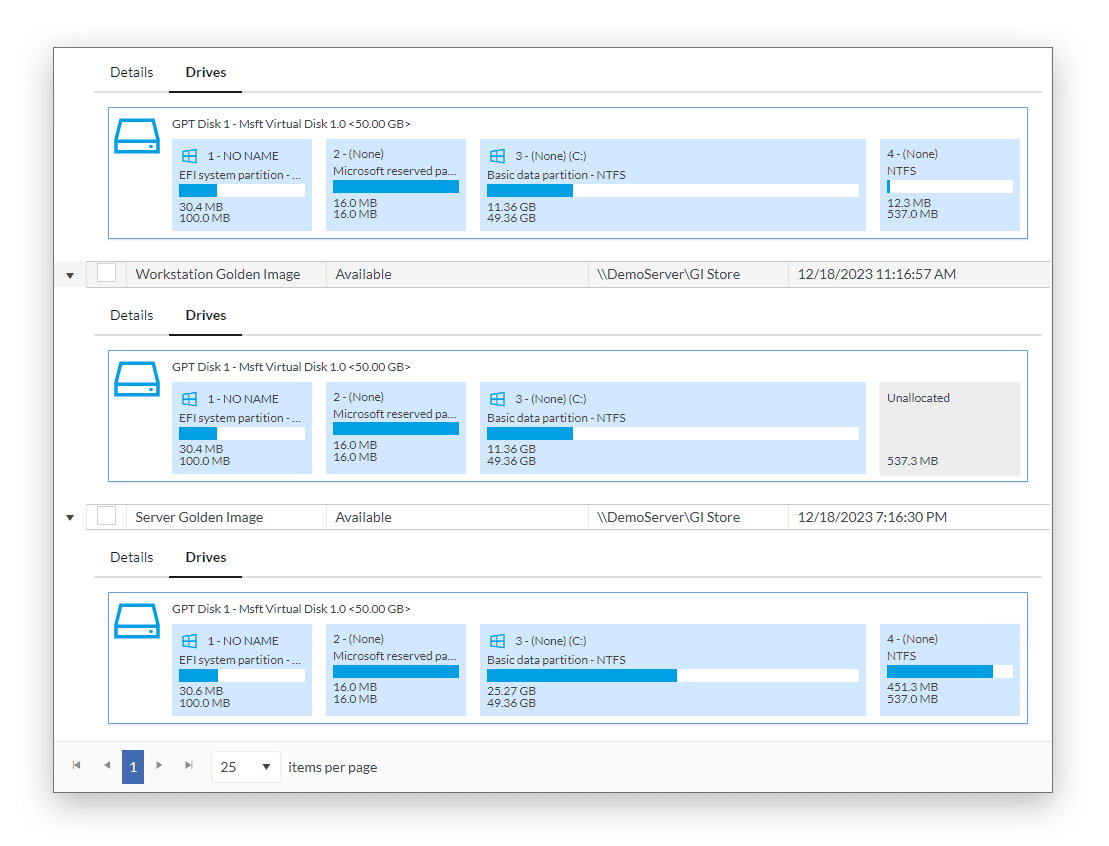
- Hardware-agnostic deployment - Easy driver harvesting handles critical drivers and Macrium ReDeploy handles dissimilar hardware - Automatic partition resizing during deployment.
Macrium’s Trusted and Rapid Imaging
- Access a complete backup and restore solution with Macrium’s integrated product range.
- Start a trial of Macrium SiteDeploy directly from the Macrium Site Manager interface.
- Add an existing SiteDeploy license for full deployment capabilities.
- Use Macrium Site Manager agent data to identify and preconfigure deployments to known hardware.
- Import Macrium Site Manager backups for use as golden images.
Integration with Macrium Site Manager
- Powerful, trusted boot media works on different firmware. Automated connection to Site Manager provides separation of roles and responsibilities
- PXE Server built-in and network-friendly, or use your own.
- Easily create golden images of reference machines.
- Windows PE offline image deployment (via USB).
- Removes the need for authentication and storage architecture knowledge at the endpoint.
Universal Deployment Media
- Remotely deploy and monitor from the Site Manager console. Offline activation for flex plans.
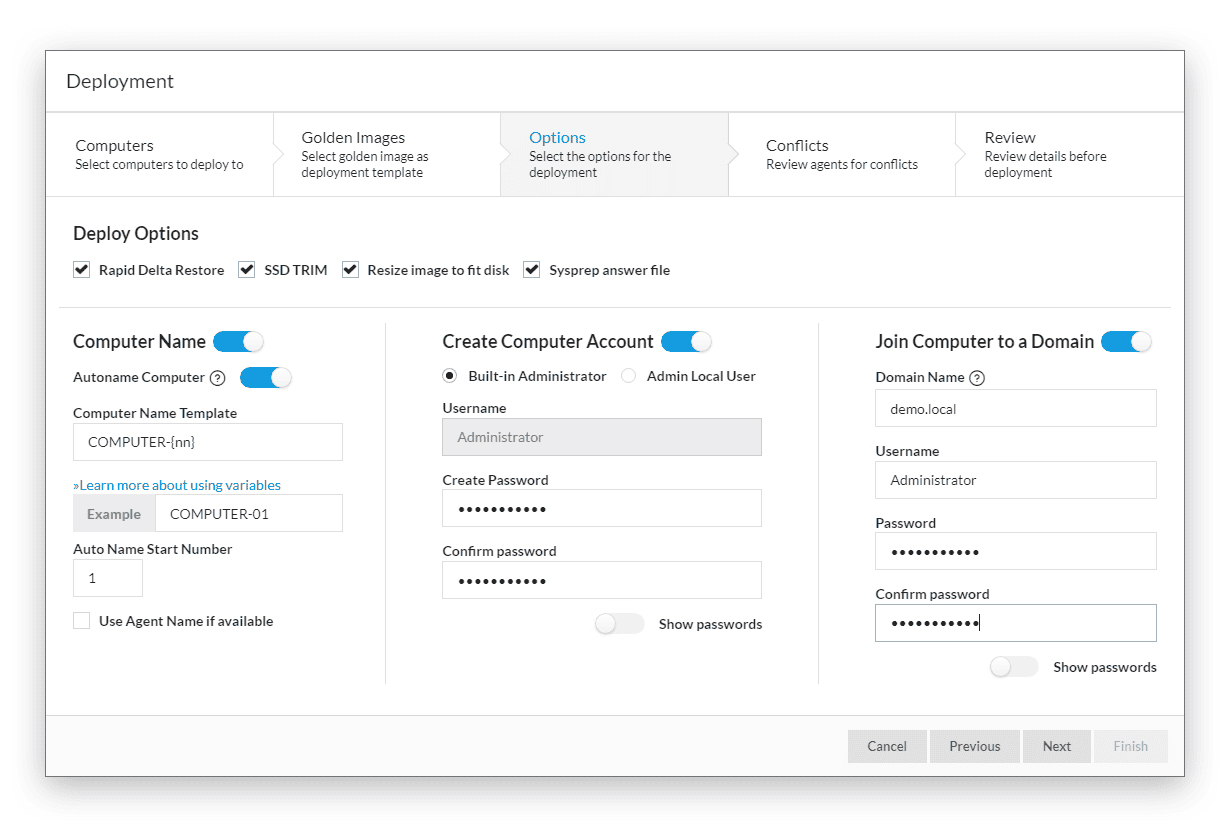
- Built-in sysprep answer files make deploying sysprepped images easier.
- Advanced notifications and log history (track number of unique deployed endpoints per year).
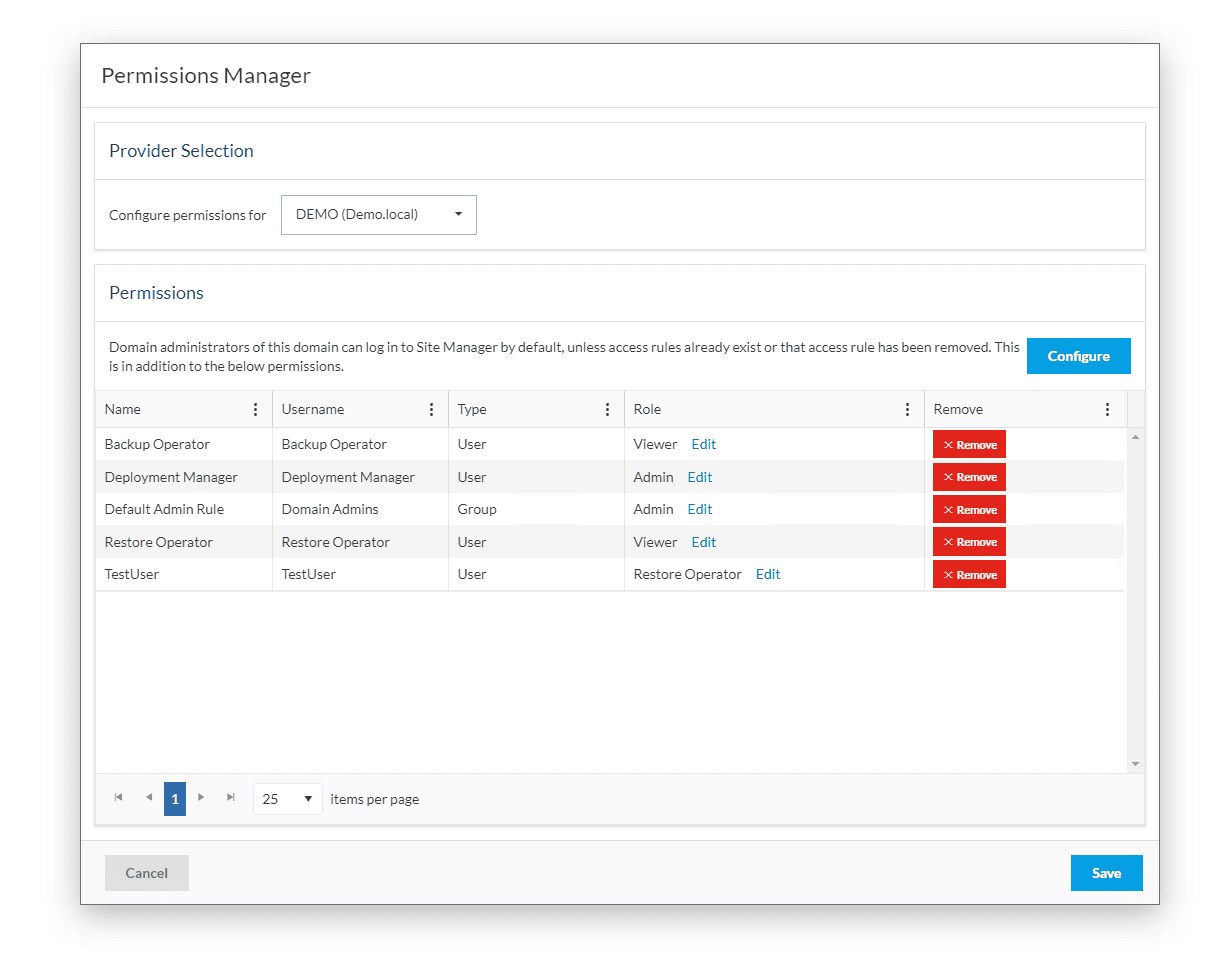
- User and role-based management.
Single Pane of Glass
Deceptively Simple OS Imaging and Deployment Software
Explore what our imaging and deployment software can do for your organization. Watch the 5 minute demo video and contact us to discuss a personalized introduction of SiteDeploy.
Customer Testimonial

"Being able to see at a glance that our backups are scheduled and protected gives us total confidence. Deploying agents and managing repositories is incredibly easy."
SiteDeploy
From $1000 / 50 deployments plus Tax
- Licensed in sets of 50 endpoints
- Save with 3 and 5 year terms
- Centralized management for large-scale operating system image deployments
- Complete image deployment for Windows XP SP3/Windows Server 2023 SP2 and above
- Up to 60 simultaneous deployments for rapid deployments
- Macrium Image Guardian protects golden image against third-party modification by ransomware, and accidental deletion
- Offline activation and deployment for secure, disconnected networks
- Post-deployment automation to reduce Windows setup
- Easy golden image maintenance and updating with Macrium viBoot
Talk to a Macrium SiteDeploy Specialist
Whether you're planning a new backup strategy or improving an existing one, our specialists can help you determine the right approach for your environment.
We'll help you:
- Identify gaps in your current backup and recovery process
- Align protection with your RPO and RTO requirements
- Understand licensing, deployment, and cost considerations